 Hryvnia
 0 Your Cart

DeFlor - flowers with love
Check the possibility of delivery and the availability of flowers/products before paying. Viber, WhatsApp, Telegram +380980229562
You can place an order in our store in any way convenient for you:
- you can place an order on the website,
- you can write to us in Viber, WhatsApp, Skype, Telegram (to the number +380980229562),
- you can write to us in our online support,
- you can send us the order in the letter on e-mail - info[@]df.ua.
Instructions for placing an order on the website
NOTE. You do not need to register on the site before placing an order. Just place an order - registration will happen automatically.
1.On the product you like, click "Buy":
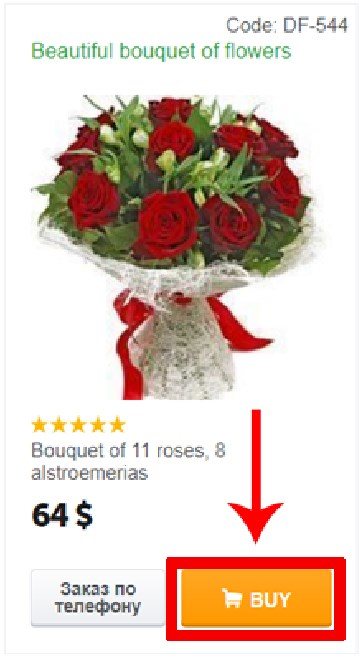
or here if you are looking at a personal product page:
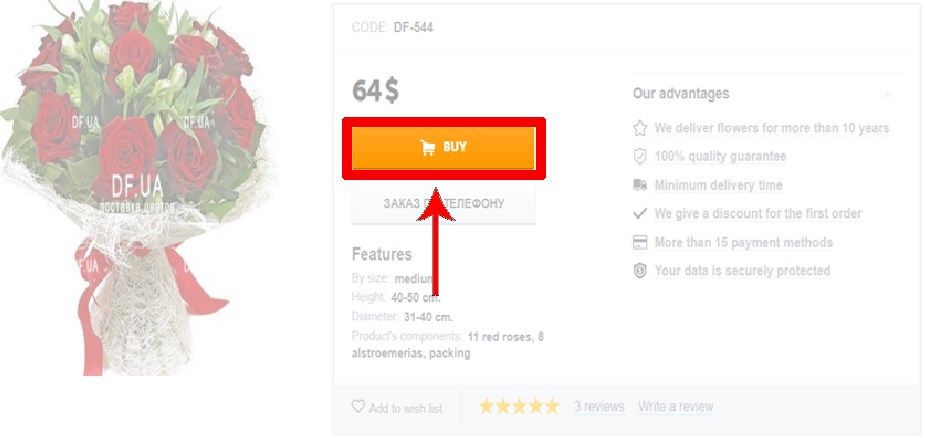
2. A window will appear in front of you in which you need to choose what you want to do next:
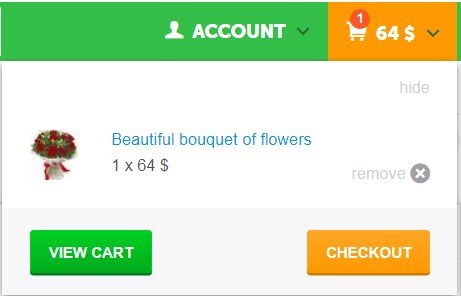
If you want to buy several products, then click "Hide" and add the remaining products to the basket, then click the "Checkout" button. You will see the page for placing an order:
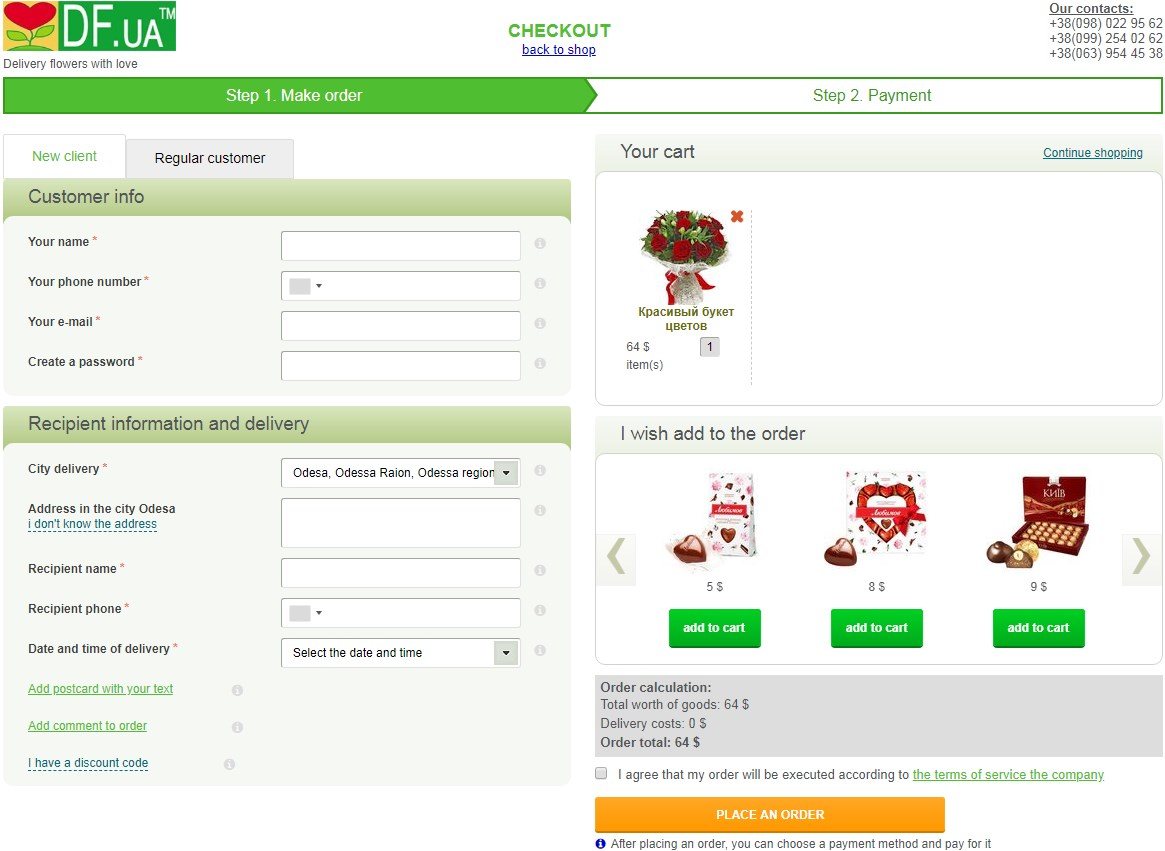
3. In the first block you need to specify information about yourself (Customer info):
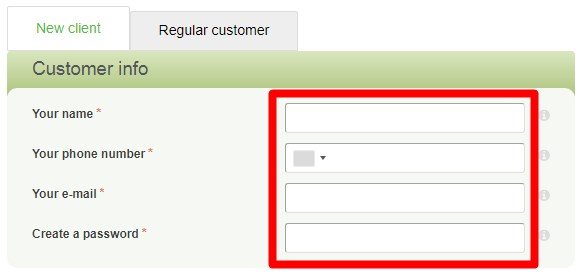
You will need to specify Your name, contact phone number, e-mail and the password convenient for you to enter the client’s personal account in our store.
All information that you specify is completely confidential and will not be available to the recipient of the order. We need them to contact you if necessary, as well as to inform you about the change in the status of your order and its delivery to the recipient.
4. Next you need to specify the data of the one who needs to deliver your order (Recipient information and delivery) and when to do it.
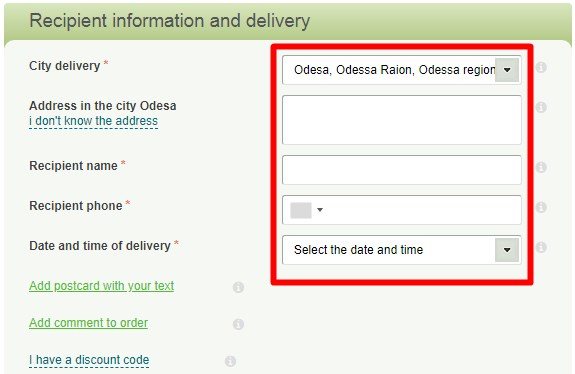
In the "City delivery" field, you need to select the city in which you want to deliver the order. Each delivery city has a different shipping cost. Also, the cost of goods may vary for different cities. As soon as you select a city, you will immediately see the actual cost of delivery and goods.
In the "Address in the city..." field, you need to specify the address where the recipient is located. If you don’t know the exact address or don’t know when the recipient will be at home, just click “I don’t know the address” and we will check with the recipient the address and time convenient for him.
Enter the recipient’s name in the Recipient Name field. Even better is a full name.
In the Recipient Phone field, enter the recipient’s contact phone number. If you have several recipient phones, you can specify additional phone numbers below by clicking on "Add comment to order".
In the field "Date and time of delivery" you need to specify the date and desired time of delivery of the order (if the order needs to be delivered without first calling the recipient). If you select the option "Contact the recipient and confirm the convenient time for delivery", then we will specify the convenient time and delivery address on the recipient, while maintaining a surprise.
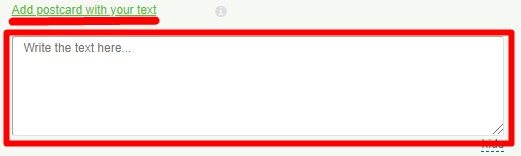
If you want the courier to deliver a card/note with your text along with your order, then click "Add a free card" and write the text that should be on the card. If you do not need a postcard, just skip this field.
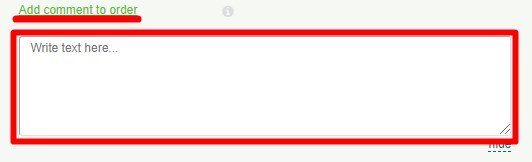
If you want to specify additional contact numbers of the recipient or you have any clarifications/wishes for the order, click "Add comment on the order" and write them.
If you have a discount code, then click "I have a discount code", enter the code and click "Apply".

If you want, in the "I wish to add to the order" block you can view and add some additional gifts to the order by clicking the "Add to cart" button.
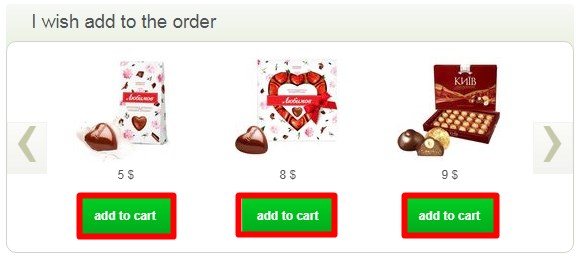
5. Then you need to tick off your agreement that your order will be executed in accordance with the terms of service of our company, which you can always find by clicking on the website "Public agreement".

6.Then you need to click on the "Place an order" button

after that, a check will be performed on the correctness of filling all the fields. If you indicated everything correctly, then your order will be placed in our store. If you made a mistake in any of the fields, then such a field will be highlighted in red, like this::

You will need to fix the error in this field and click the "Place an order" button again.
6. After placing the order, you will see a list of payment methods with which you can pay for the order. To see the payment methods that are available specifically for you, click on the tab under the number 1, 2 or 3, depending on which country you are in.
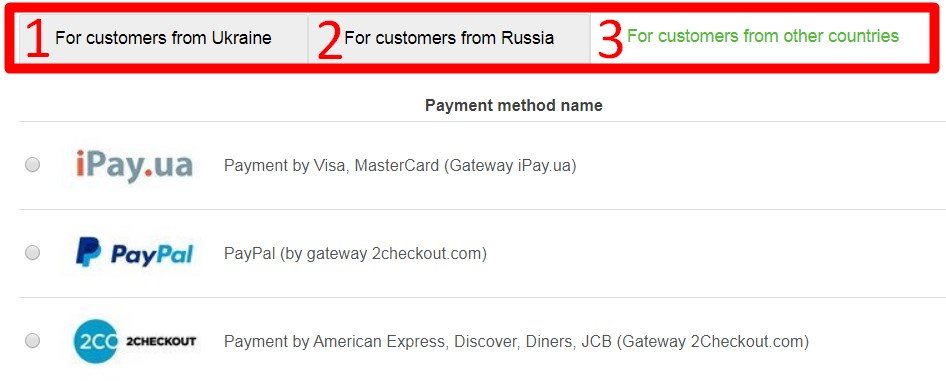
By clicking on any payment method, you will see detailed information about this payment method and the "Pay for order" button, like this:

by clicking on the "Pay for Order" button, you can pay for the order.
Payment methods are automatic and need to be done manually. If you choose an automatic payment method (for example, card payment), then after clicking the "Pay for order" button, you will be redirected to the payment system website where you will need to pay for the order.
If you select a manual payment method, then after clicking the "Pay for order"button you will be given instructions and details on which you need to make payment for the order.
Also, you can always pay for your order later. To do this, you need to go to your personal account in our store and click on Order list:
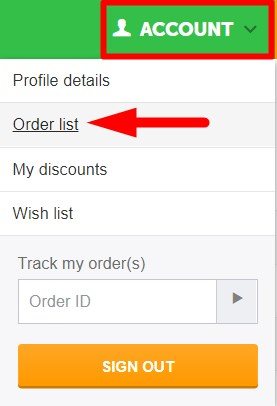
and then opposite the order you need, click "Pay for order"
After we receive payment for the order, during the working hours of the company, the status of your order will be changed, as you will be informed by a letter to the e-mail that you indicated when placing the order.
After the delivery of your order, you will also receive a notification about this.
Also, you can always at any time independently check the current status of your order in your personal account or by entering your order number in the form on the website here:
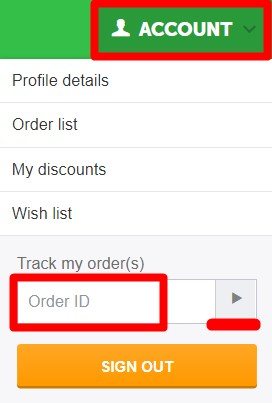
If you have any difficulties or questions - you can always write to us at online support, +380980229562 (Viber, WhatsApp, Skype, Telegram) and we will always help you ;)
Delivering to Kyiv | Cherkasy | Chernihiv | Chernivtsi | Dnipro | Donetsk | Ivano-Frankivsk | Kamianets-Podilskyi | Kamianske | Kharkiv | Kherson | Khmelnytskyi | Kremenchuk | Kropyvnytskyi (Kirovohrad) | Kryvyi Rih Kryvyi Rih | Bila Tserkva | Lutsk | Lviv | Mykolaiv | Nikopol | Odesa | Oleksandriia | Pavlohrad | Poltava | Rivne | Sumy | Ternopil | Uman | Uzhhorod | Vinnytsia | Zaporizhia | Zhytomyr | other cities